Vet Recommended Cat Games iPad (2026 Guide)
Safety is the top priority when letting your cat interact with a screen. Cat Hunt Simulator: Burrow & Pounce uses cat-safe visual patterns, appropriate brightness levels, and audio tuned for feline hearing ranges. There are no sudden flashing lights, no harmful blue-light spikes, and the screen-lock prevention keeps gameplay running smoothly. Veterinary professionals recognize the value of interactive digital play for indoor cat enrichment when used appropriately.
Cat Hunt Simulator was designed with veterinary safety guidelines at its foundation. The visual patterns use contrast levels appropriate for feline vision without relying on rapid flashing or strobing effects that could cause discomfort. Brightness auto-adjusts based on your device settings, and the color palette emphasizes the blue-green and yellow spectrums that cats perceive most clearly. Audio frequencies stay within the comfortable feline hearing range, avoiding high-pitched tones that could be irritating to sensitive cat ears.
Screen time guidance for cats follows the same principles as physical play — moderation and variety. Veterinary professionals suggest 10 to 15 minute interactive play sessions, which aligns perfectly with Cat Hunt Simulator's natural session length. The game's energy modes automatically pace the experience: Kitten mode is brisk but brief, Adult mode balances challenge and duration, and Senior mode provides gentle stimulation for older cats. These built-in guardrails help ensure every play session is beneficial rather than overstimulating.
Safe design extends beyond visuals and audio to the fundamental interaction model. Cat Hunt Simulator's touch detection is calibrated for paw pads rather than fingertips, meaning cats interact naturally without awkward gestures. The interface contains no small targets that could frustrate a cat, no pop-up elements that appear during gameplay, and no external links in the play area. The result is a contained, predictable environment where cats can focus entirely on the hunt without encountering unexpected screen changes.
Why Cat Hunt Simulator Stands Out
- Cat-safe visual patterns and appropriate brightness levels
- No sudden flashing lights or harmful blue-light spikes
- 60fps canvas-based rendering optimized for responsive touch detection
- Day/night cycle affecting prey behavior and visual atmosphere
- Catnip Boost power-up sprinkles irresistible particle effects across the play surface
- Auto-replay with shuffle mode for hands-free play sessions
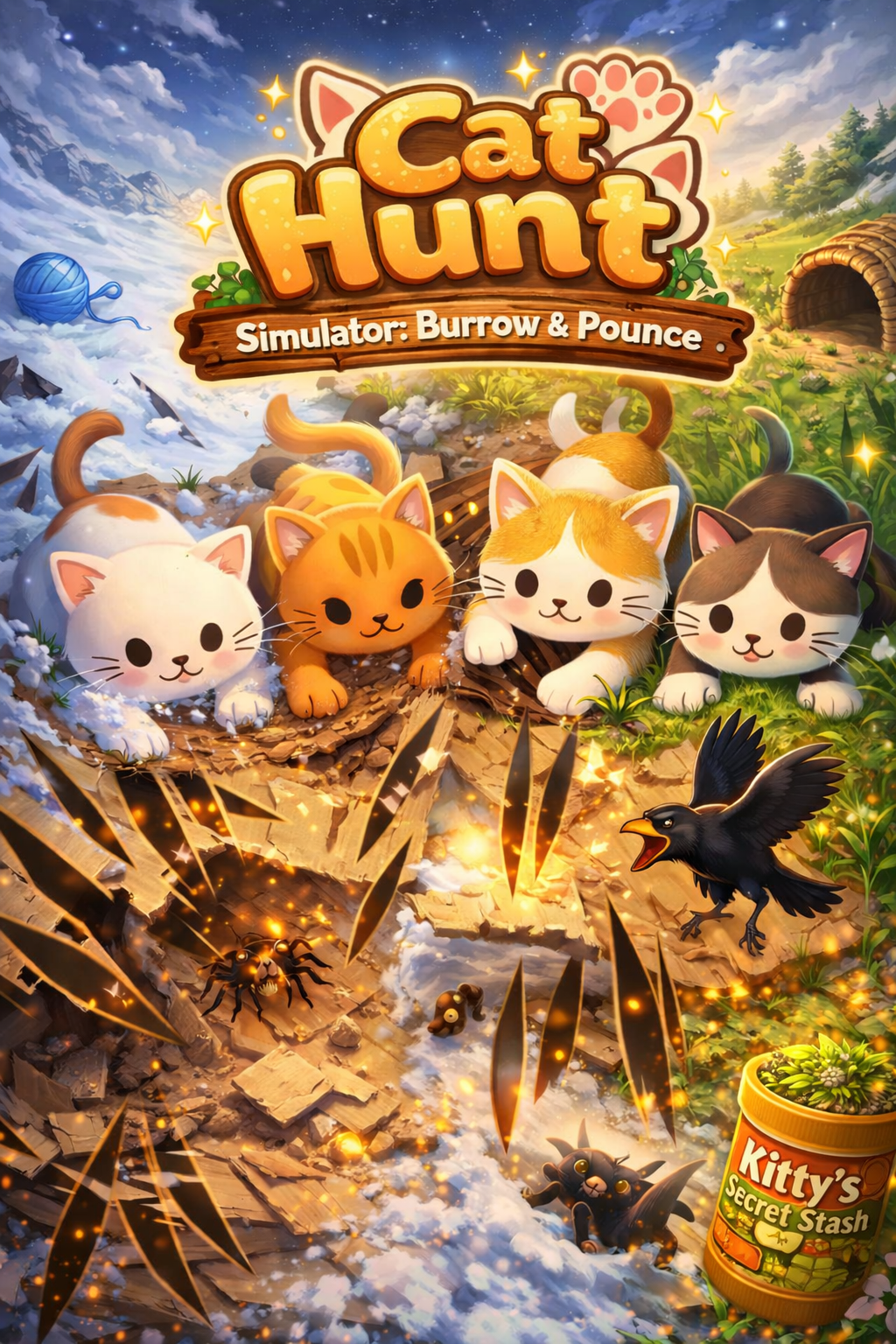
- Realistic prey behavior — skittering, freezing, and bolting when paws approach
- Share stats screen to show off your cat's hunting prowess
- Four destructible substrate types: Paper, Grass, Snow, and Cardboard
- Three energy modes — Kitten, Adult, and Senior — matching your cat's play style

Designed with cat safety in mind. Free to try.
Also available on any touch-enabled device at cathuntsim.com →Cat Hunt vs Other Cat Games
| Feature | Cat Hunt Simulator | Other Cat Games |
|---|---|---|
| Prey Behavior | Dynamic AI — skitters, freezes, bolts based on cat proximity | Simple linear movement or random paths |
| Surface Interaction | Destructible substrates (Paper, Grass, Snow, Cardboard) | Flat, static backgrounds |
| Hunt Completion | Full cycle — stalk, chase, capture with hold-to-pounce | Tap to score points, no capture mechanic |
| Difficulty Modes | Three energy modes (Kitten, Adult, Senior) | One-size-fits-all difficulty |
| Day/Night Cycle | Yes — affects prey behavior and visibility | No environmental changes |
| Visual Quality | 60fps canvas rendering with sprite-based normal maps | Basic sprite animations at lower frame rates |
| Session Stats | Detailed stats with shareable game-over screen | Simple score counter |
| Auto-Replay | Yes — shuffle mode for hands-free play | Manual restart required |
Frequently Asked Questions
Can screen time harm my cat's eyes?
Moderate screen time (10-15 minute sessions) has not been shown to harm cats' eyes. Cat Hunt Simulator uses appropriate brightness levels and avoids rapid flashing that could cause discomfort. Cats naturally look away and take breaks during play, self-regulating their screen exposure.
What devices does Cat Hunt Simulator work on?
Cat Hunt Simulator: Burrow & Pounce is available on iPhone and iPad via the App Store. A web version is also available at cathuntsim.com that works on any touch-enabled device with a modern browser, including Android tablets and desktop computers with touchscreens.
How is Cat Hunt different from other cat games?
Most cat games show a simple dot, fish, or mouse moving across a flat screen. Cat Hunt features prey that actually hides beneath destructible surfaces — your cat tears through paper, grass, snow, or cardboard to find and capture prey. The prey exhibits realistic escape behavior, freezing when it senses danger and bolting when your cat gets close.
Is Cat Hunt Simulator safe for my cat and my screen?
Absolutely. Cat Hunt Simulator uses cat-safe visual patterns and appropriate brightness levels. The game is designed so normal cat paw interactions will not damage your screen. We recommend using a screen protector for added peace of mind during enthusiastic play sessions.
How long should my cat play Cat Hunt Simulator?
We recommend 10 to 15 minute play sessions, similar to how cats hunt in the wild — short bursts of intense activity. The three energy modes (Kitten, Adult, Senior) automatically adjust session pacing for your cat's age and activity level.
Join thousands of cats already playing.
Play on any touch-enabled device at cathuntsim.com →